I Started Selling AI Digital Prints on Etsy. Here’s Exactly How I’m Doing It (and Every Dumb Mistake So Far)
If you’ve been on the internet for more than five minutes this year, someone has told you to sell digital prints on Etsy.
No inventory. No shipping. No trips to the post office with a giant box from Home Depot.
(If you read my eBay post, you know exactly why that last part matters to me.)
Make the art once, sell it forever. Passive income. Infinite money glitch.
At least that’s the pitch.
So I tried it. Here’s my honest breakdown of how I’m selling digital prints on Etsy using AI, the workflow I built, and the many, many ways I managed to slow myself down along the way.
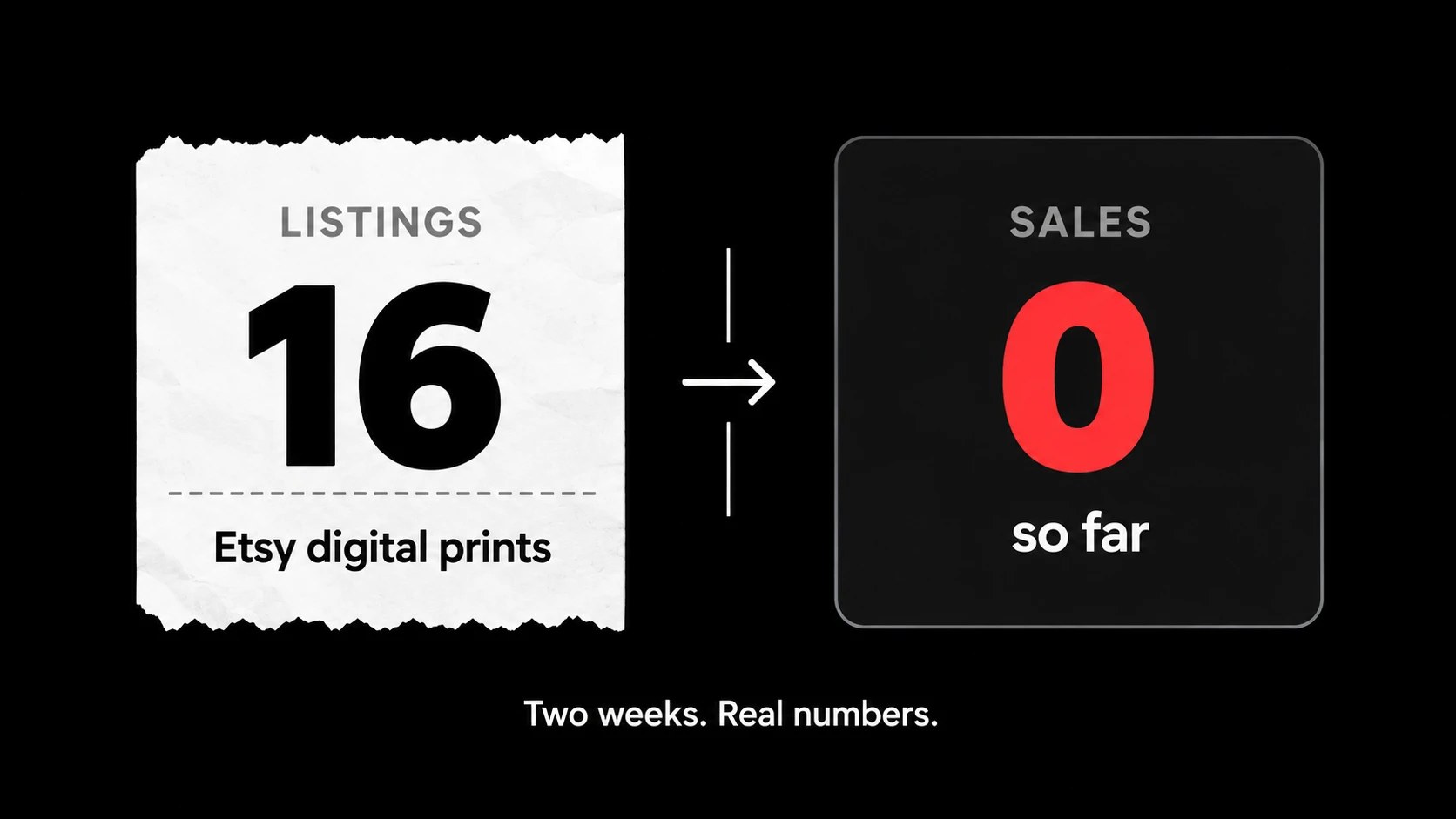
Spoiler: as of writing this, total sales are zero.
We’ll get there.
Why Digital Prints on Etsy?
After years of reselling, the appeal was obvious.
With eBay, every sale is a physical object. You buy it, store it, photograph it, pack it, ship it, and pray the buyer doesn’t open a return because the box “smelled weird.”
Digital downloads flip all of that.
- No inventory to buy
- No shipping costs eating your margin
- No packaging supplies
- One design can sell an unlimited number of times
- Etsy charges $0.20 to list an item, so testing ideas is cheap
The catch is that everyone else figured this out too. Etsy is packed with printable wall art. So the question isn’t “can you sell digital prints on Etsy?” It’s “can you make yours stand out from the other ten thousand abstract prints in beige?”
More on beige later. It comes up a lot.
Step Zero: I Spent Weeks Doing Absolutely Nothing
Before I listed a single thing, I did what every overthinker does.
I researched.
Then I researched some more. Niches. Trends. Competitors. Google search volume. Which products sell. Which ones don’t. I compared games against wall art against memory care printables like I was writing a thesis.
Weeks went by.
Listings created: zero.
Eventually it clicked that I was doing the business version of reorganizing your desk instead of studying. I had a spreadsheet full of insights and a shop full of nothing.
So I made a rule: pick a lane, commit for 30 days, and no new research until the experiment is over.
The lane I picked was prints.
Best decision I made in this whole process, and it took me way too long to make it.
The Name Changed Three Times. Mission Failed (Twice).
Every good side hustle needs a name.
Mine needed three.
It started as one name. Then I rebranded it into a second name. Then I decided that wasn’t right either and landed on a third: a simple “art collective” style name with a clean arch logo, white on black.
Is it the perfect name? I don’t know. But it’s the name that’s actually on a shop with actual listings, which already makes it better than the first two.
Lesson: a decent name on a live shop beats a perfect name in your Notes app.
Studying the Competition (Without Copying Them)
Before designing anything, I picked one big shop in my niche to learn from. When I looked, it had hundreds of thousands of sales and nearly 2,000 listings, all printable art.
I didn’t copy their art. I studied how they run the business:
- Their photos: framed mockups on clean walls, close-ups, and an instructions graphic
- Their titles: subject, style, room, and “printable” or “digital download” baked right in
- Their pricing: low prices with a permanent sale running on everything
- Their descriptions: the same clean structure every time, with sizes, download instructions, and terms of use
Then I built my own version of each one.
One thing I learned the hard way: there’s a difference between “inspired by” and “basically the same thing with my logo on it.” My first instructions graphic landed way too close to theirs. I scrapped it and designed a completely different one. If a stranger could mistake your listing for someone else’s, start over.
The Workflow: How I Actually Make Each Print
This is the part people actually want, so here’s the whole thing.
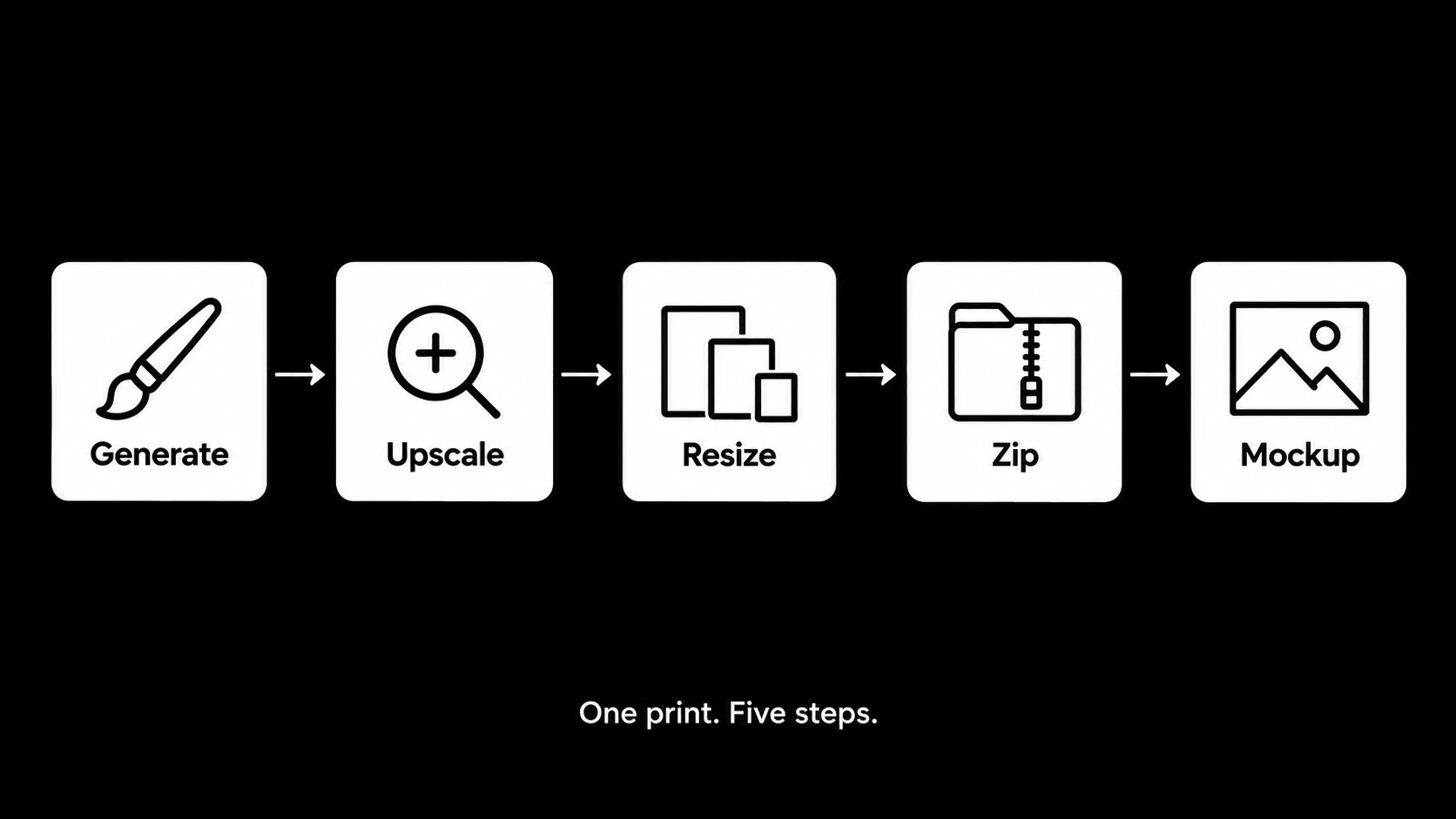
1. Generate the art with AI
I use ChatGPT to generate the artwork. The style I landed on is textured, palette-knife abstract art: thick, sculpted paint you can almost feel through the screen.
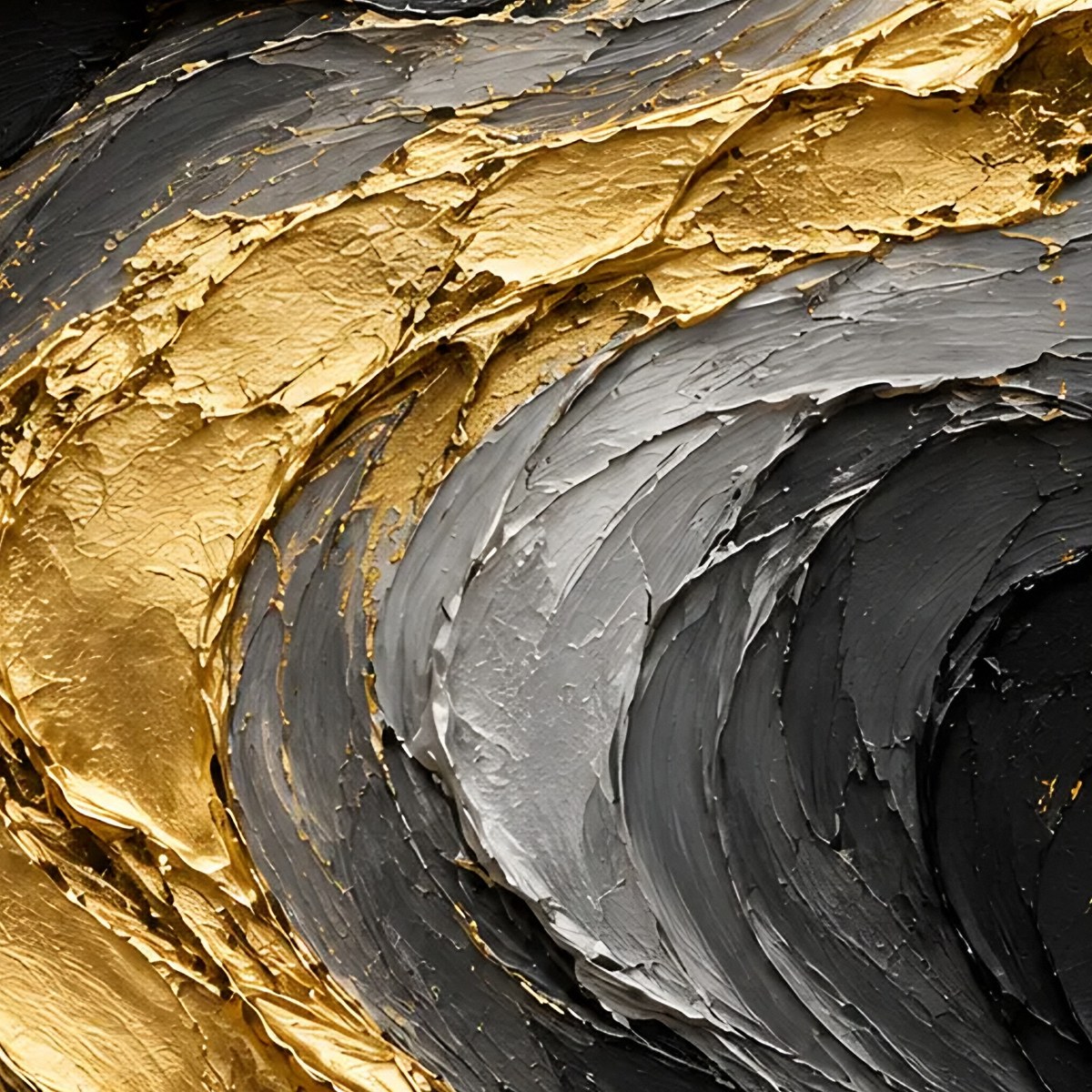
The prompt is everything. I write each one as a single block that covers the style and the subject together, and I’m very specific about colors, composition, and what I don’t want.
That “what I don’t want” part matters more than you’d think. Which brings me to my favorite failure.
The bulldog incident
Early on I was looking at street-art style prints and got the bright idea to try a bulldog.
It was hideous.
Not “needs a tweak” hideous. “Close the tab and pretend this never happened” hideous.
Then there was the cracking. The textured plaster style I liked has these little cracks running through the paint. In theory that’s charming. In practice, my first batch looked like a drywall repair job gone wrong. So now every prompt includes the line “smooth intact paint surface, no cracks.” Problem solved.
And when I tried painterly beach scenes, they turned out nice, but I realized I wanted more abstract work, not literal houses and boardwalks. You don’t really know your style until you see a few things that aren’t it.
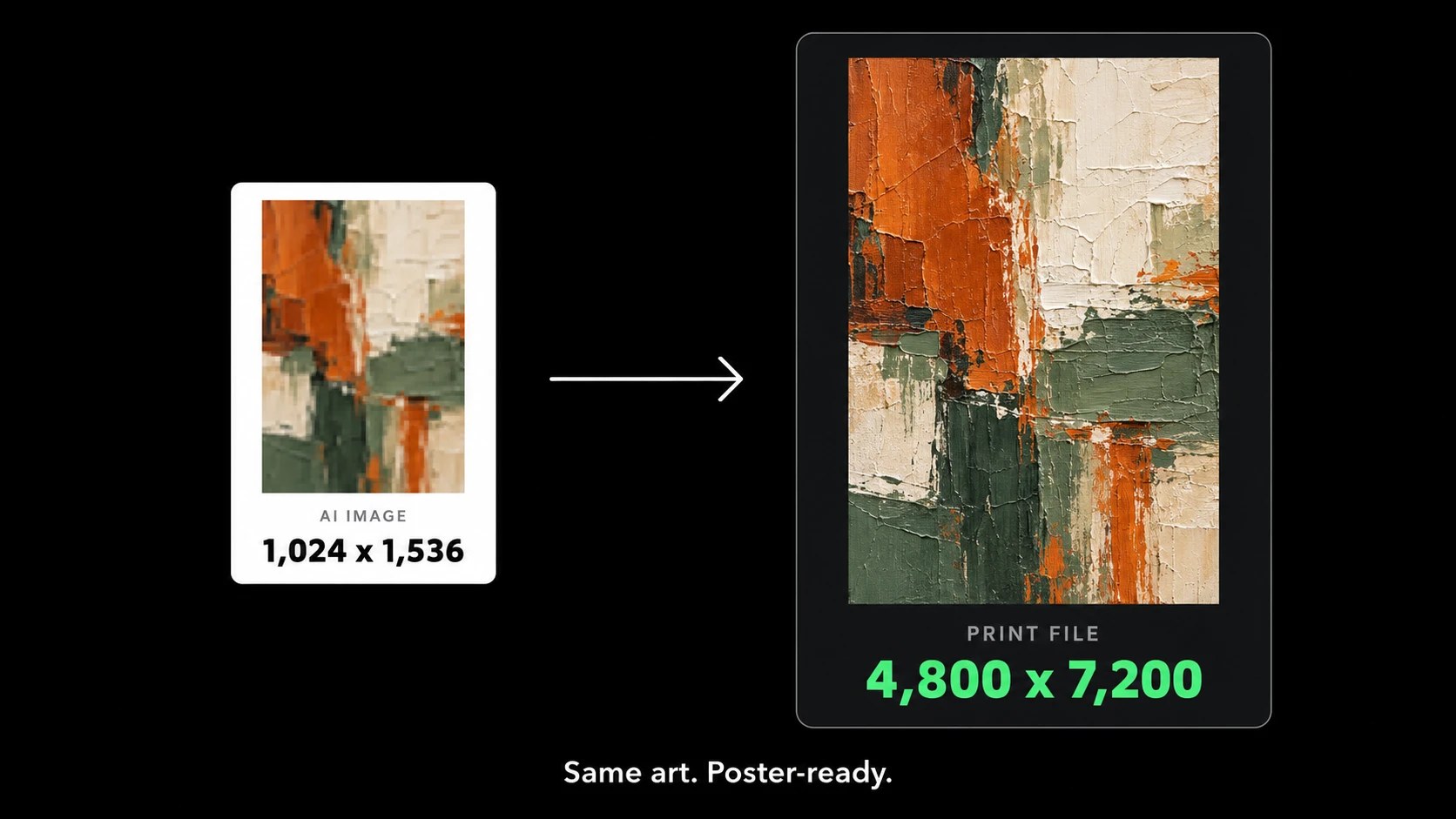
2. Upscale the image so it actually prints well
This is the step most beginners skip, and it’s the one that separates a print someone frames from one they print once and throw away.
AI images come out around 1,000 by 1,500 pixels. That looks fine on your phone. Print it at poster size and it turns into a blurry, pixelated mess.
So every image goes through an AI upscaler (I use a free tool called Real-ESRGAN) to bring it up to 4,800 by 7,200 pixels. Then I blend in a little sharpening and fine grain so the paint texture still looks like paint instead of plastic.
3. Export every print size
Here’s something nobody tells you about selling printable wall art: frames come in a bunch of different shapes.
An 8×10 frame and a 24×36 frame are not the same proportions. If you only give buyers one file, half of them will end up cropping your art or emailing you for a different size.
So every listing includes five files, one for each common ratio:
- 2:3 (4×6 up to 24×36)
- 3:4 (6×8 up to 18×24)
- 4:5 (8×10 and 16×20)
- 11×14
- International A sizes (A5 to A2)
4. Stay under Etsy’s file size limit
Etsy caps each digital file at 20MB, and you get five files per listing.
High-res art files are big. A set of three prints at full resolution blows past 20MB fast. So each ratio gets zipped into its own file, and the script automatically lowers the JPG quality a notch if a zip is creeping over the limit.
Is this exciting? No.
Will a buyer leave a one-star review if their download is broken? Absolutely.
5. Make mockups that sell the print
Nobody buys a flat JPG. They buy the picture in their head of that art hanging over their couch.
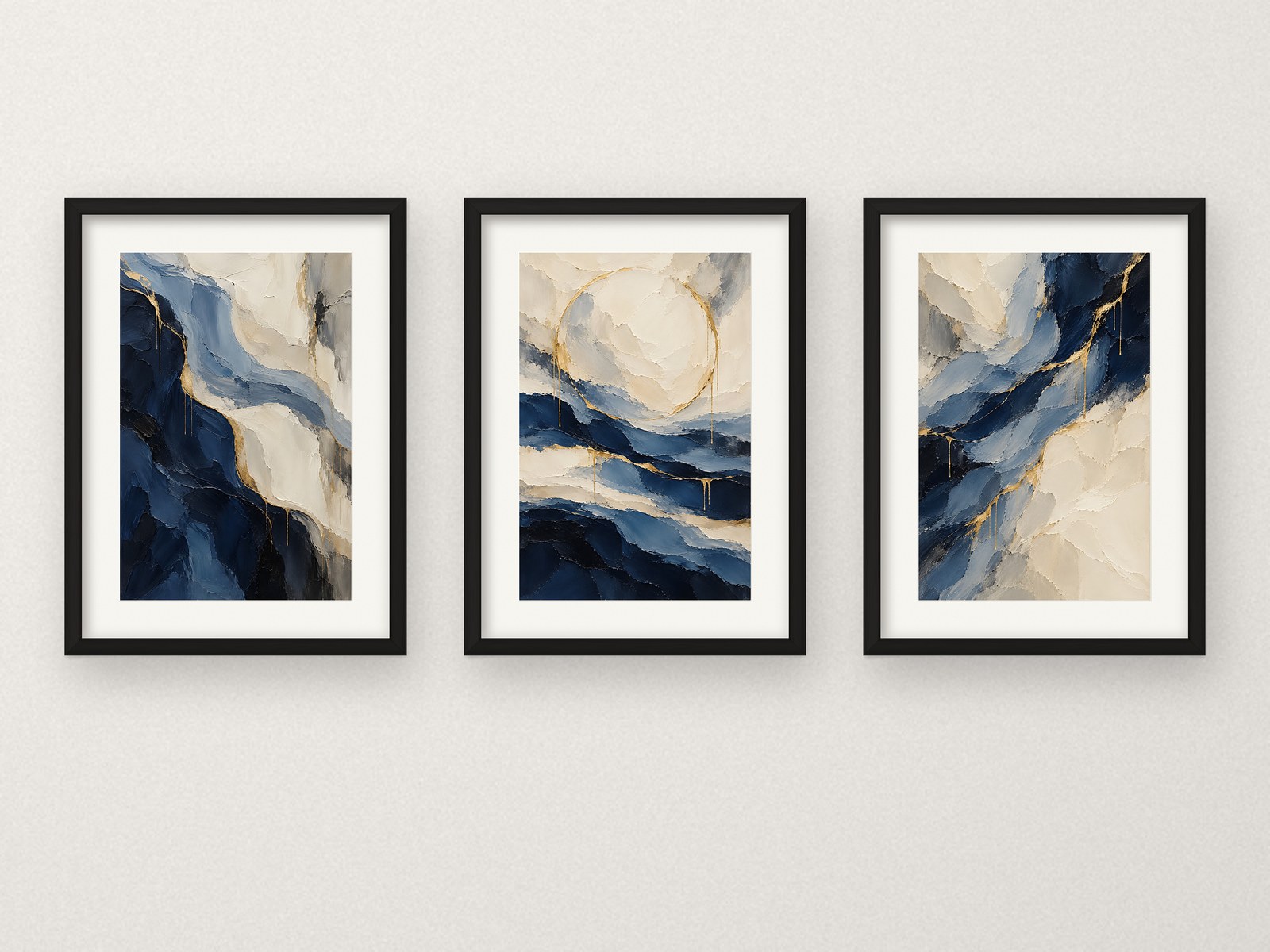
So every listing gets framed mockups: the art in a frame with a white mat on a clean wall, with soft shadows so it actually looks like it’s hanging there. I make versions in black, light oak, and dark walnut frames, plus a close-up of the paint texture and a branded graphic explaining how the download works.
The Thumbnail Mistake That Made My Shop Look Like a Ransom Note
This one is my Lego set moment for Etsy.
I upgraded my mockups. New frames, white mats, way sharper. I put them on a few new listings, checked my shop page, and something looked off.
My older listings showed the whole frame, nicely centered.
My new ones were cropped. Frames sliced off at the edges. One single print filled the entire square like it was trying to escape.
Here’s what I didn’t know: Etsy crops your main listing photo into a square for the shop grid and search results. (Etsy covers this in its image requirements and best practices.) My new set mockups were wide rectangles, so Etsy chopped the sides off. The single mockup had the frame so big it barely fit in the square.
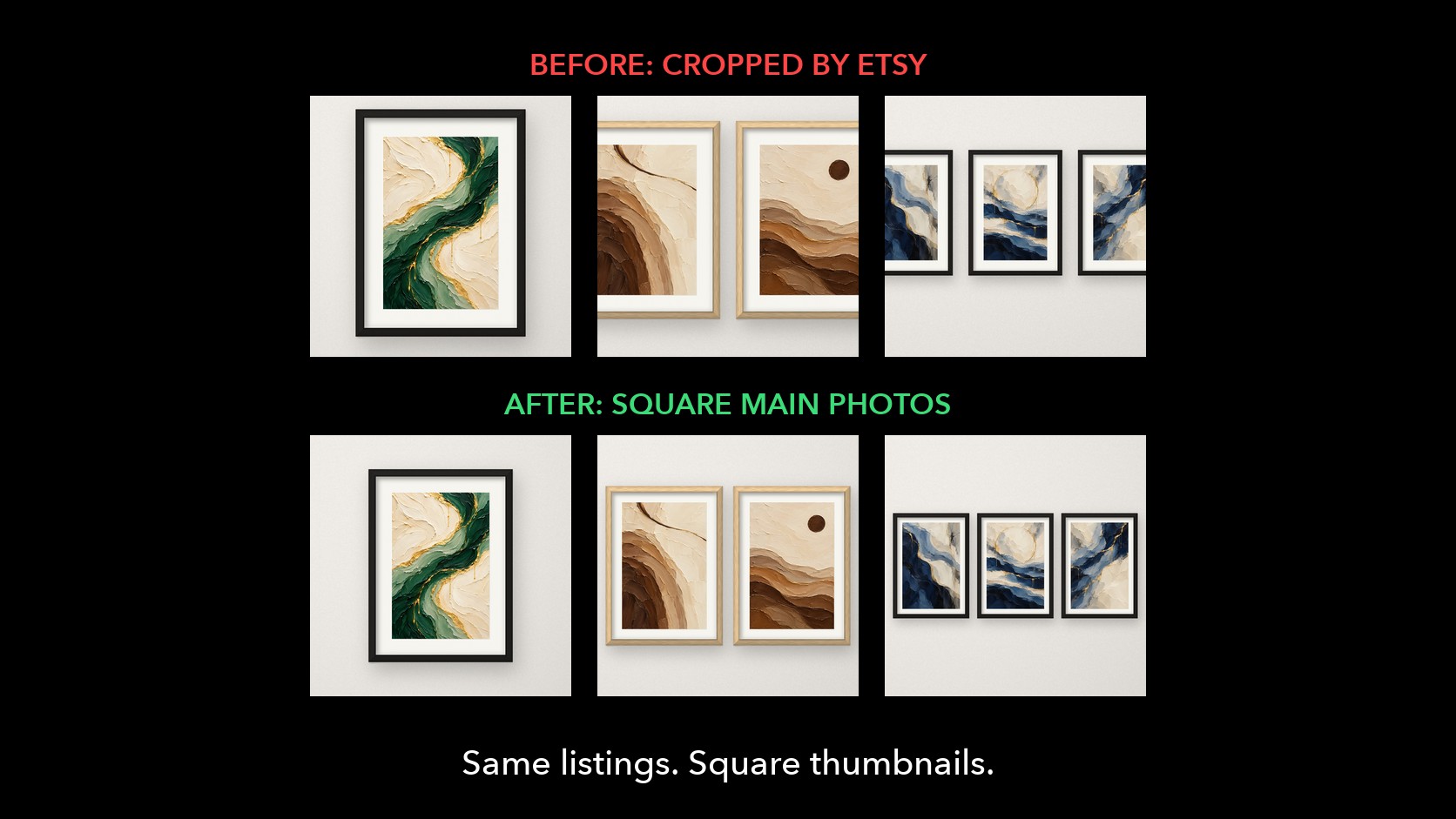
Nothing was technically broken. It just looked messy, like a grid of photos from four different shops.
The fix was simple once I understood it. Every main photo is now a perfect square, with the frames sized and centered exactly the same way. The other photos in a listing can be any shape, but photo #1 has to look good as a square.
Now the grid looks clean and consistent, which matters a lot when a shopper lands on your shop and decides in about two seconds whether you look legit.
Etsy listing photo tip: before you publish, crop your main photo to a square yourself and look at it next to your other listings. If it doesn’t match, fix it before buyers see it.
Pricing: Cheap, With a Permanent Sale
Remember my eBay lesson? Being one of the cheapest options with a good offer gets you in the conversation.
Same idea here. My list prices:
- Single print: $5.49
- Set of 2: $6.99
- Set of 3: $8.49
- Set of 4: $9.79
Then I run a standing 40% off sale on the whole shop. So a single print shows up at $3.29 with a strikethrough price next to it.
Shoppers love a strikethrough. It’s the Etsy version of a free shipping badge.
One gotcha: Etsy sales can only run for so long before they expire, so I have a reminder set to renew mine. Let it lapse and your whole shop quietly goes back to full price.
And yes, I still did the math. With digital downloads there’s no cost of goods and no shipping, but Etsy still takes listing fees, transaction fees, and payment processing on every sale. If you read my eBay post, you know how I feel about knowing your margins before you celebrate.
The Little Things That Make a Shop Look Legit
A few smaller things that took a surprising amount of time:
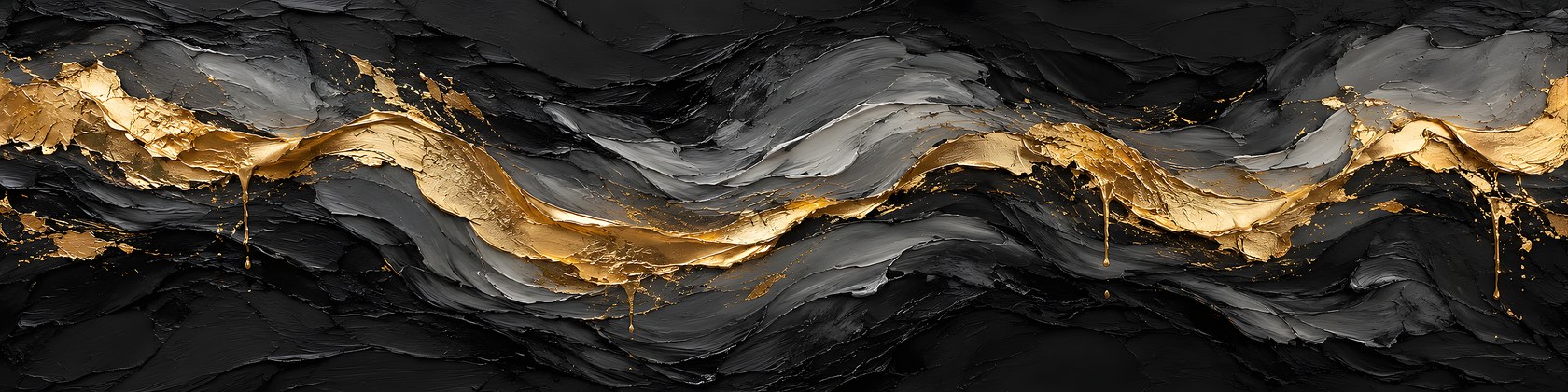
A shop banner. Etsy’s recommended big banner size is 3360 x 840 pixels. That’s a very wide, very short rectangle, and mobile crops the sides, so the interesting part needs to sit in the middle. My first round of banner ideas was way too beige (told you it would come up again). I went dark instead, black and charcoal paint with a ribbon of gold, to match the logo. Then I re-exported it because version one looked a little pixelated. Version two is crisp.
Sections. I group the shop by style: Modern Abstract, Coastal, and Vintage Paintings. I also wanted sections for “Sets of 2” and “Sets of 3,” until I learned Etsy only lets each listing live in one section. So every set title starts with “Set of 2” or “Set of 3,” and buyers can just search the shop for that.
Honest AI disclosure. Every listing says the artwork was designed with the help of AI tools, then finished and prepared for print. Etsy asks you to disclose it, and I’d rather be upfront than have a buyer feel tricked.
How AI Fits In (Beyond Making the Art)
If you read my tokenmaxxing post, you know I use AI a lot for my day job. It helps here too.
ChatGPT makes the images. AI tools help with the busywork around them: drafting prompts, upscaling, building the size files, making mockups and drafting listing copy and tags. I pick the art, decide what to make next and review every listing before I publish it.
It’s not magic. More than once I’ve had to throw out a whole batch of images, redo a mockup or rewrite a title that sounded like a robot wrote it. Mostly because a robot did.
But the speed difference is real. What used to be an evening of fiddling per listing is now a few minutes of me looking at pictures and saying “yes, that one.”
In under two weeks, the shop went from zero to 16 listings.
So… How Much Money Has It Made?
Zero dollars.
Zero sales.
No reviews yet.
I told you we’d get there.
I’m not going to pretend otherwise, because the internet already has enough “I made $10K my first month selling digital prints” posts. New shops selling digital prints on Etsy take time to get indexed and build trust, and 16 listings is still a small shop.
The plan is simple: keep adding listings consistently, try new styles (I just launched a mid-century geometric print to see if something besides flowing gold abstracts gets traction), and report back with real numbers.
If it works, you’ll hear about it here.
If it doesn’t, you’ll definitely hear about it here.
Final Thoughts
If I could go back to day one, I’d tell myself three things.
Start before you feel ready. Weeks of research produced zero listings. Two weeks of actually doing it produced a real shop.
Quality is in the boring stuff. Upscaling, correct print sizes, files under Etsy’s limit, square thumbnails. Buyers never notice when you get these right. They definitely notice when you don’t.
Look at your shop like a stranger would. That cropped thumbnail grid looked fine listing by listing. It only looked bad all together, which is exactly how buyers see it.
Selling digital prints on Etsy isn’t an infinite money glitch.
But it’s cheap to start, there’s nothing to ship, and the post office will never see me sweating in line with a giant box again.
That alone feels like a win.
Dom
Frequently Asked Questions
Can you sell AI art on Etsy?
Yes. Etsy allows AI-generated art, but you have to disclose it. In the listing, mark that the item was created with an AI generator, and it’s smart to mention it in the description too.
What size should digital prints be for Etsy?
Give buyers several aspect ratios so the art fits standard frames: 2:3, 3:4, 4:5, 11×14, and the international A sizes. Upscale your files so they stay sharp at larger print sizes.
What is Etsy’s file size limit for digital downloads?
Each file can be up to 20MB, and you can attach up to five files per listing. Zipping each print size into its own file is an easy way to stay under the limit.
Why does my Etsy listing photo look cropped?
Etsy crops your main listing photo into a square for the shop grid and search results. Make your first photo square, with the product centered, so nothing important gets cut off.
What size is an Etsy shop banner?
Etsy recommends 3360 x 840 pixels for the big banner. Mobile cuts off the sides, so keep the important part of the design in the center.